
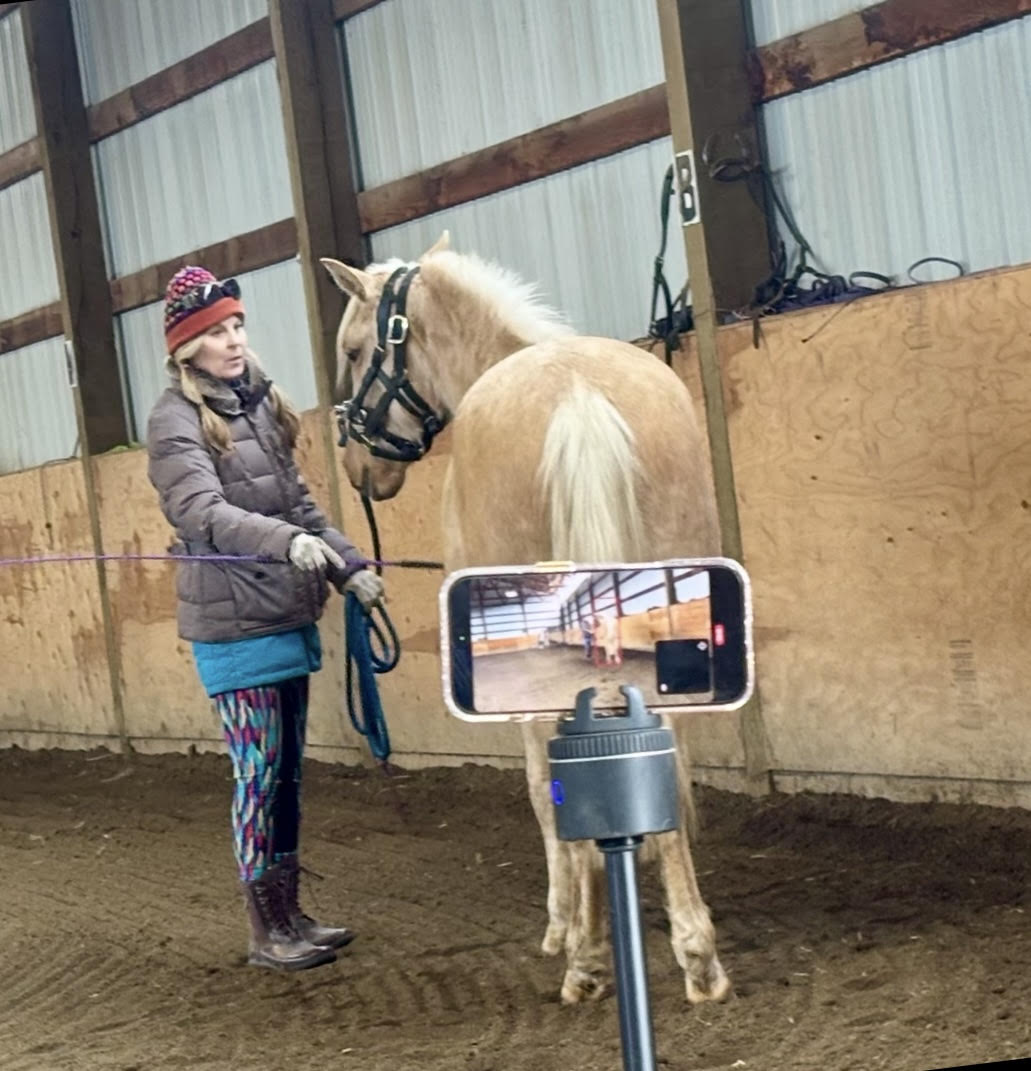
Having a virtual lesson has never been easier!
Using Pivo silver (not the lite) , you can connect to your instructor using your phone. It will follow and zoom in on the horse and the instructor also has the option of controlling the Pivo should it lose the horse.
This allows you to have a lesson in real time and get the help you need, whenever you need! It has been a game changer for my students that live far away, we can have weekly lessons!
The requirements for using Pivo are:
An approved phone: This is all iPhones. If you have an android you can check the list here: https://support.pivo.ai/hc/en-001/articles/360025295692-Recommended-smartphones I do have some android users that have newer phones that aren’t the list but work fine.
The speed requirements are as follows:
- Minimum Recommended Upload Speed: At least 3 Mbps. This is a basic requirement for a stable video call in standard definition (SD).
- Good/Ideal Upload Speed: At least 5-10 Mbps.2 This speed will allow you to stream high-definition (HD) video with much less chance of freezing or pixelation.
- Optimal Upload Speed: 25 Mbps or higher. This will provide the best possible experience, allowing you to stream in high-quality without any noticeable lag, even with minor fluctuations in your connection.
Below is an example of a lesson using the Pivo
Save 10% when you shop Pivo. Use discount code KIMROBARE
An easy video tutorial for setting up your Pivo and have a lesson!
